> ## Documentation Index
> Fetch the complete documentation index at: https://flexprice-mintlify-e7733680.mintlify.site/llms.txt
> Use this file to discover all available pages before exploring further.
# Feature grouping
> Assign features to a group when creating or editing a feature.
Create a group with **Entity type** **Feature** first ([Creating a group](/docs/product-catalogue/groups/create)). Then assign features to that group using the steps below.
## Workflow
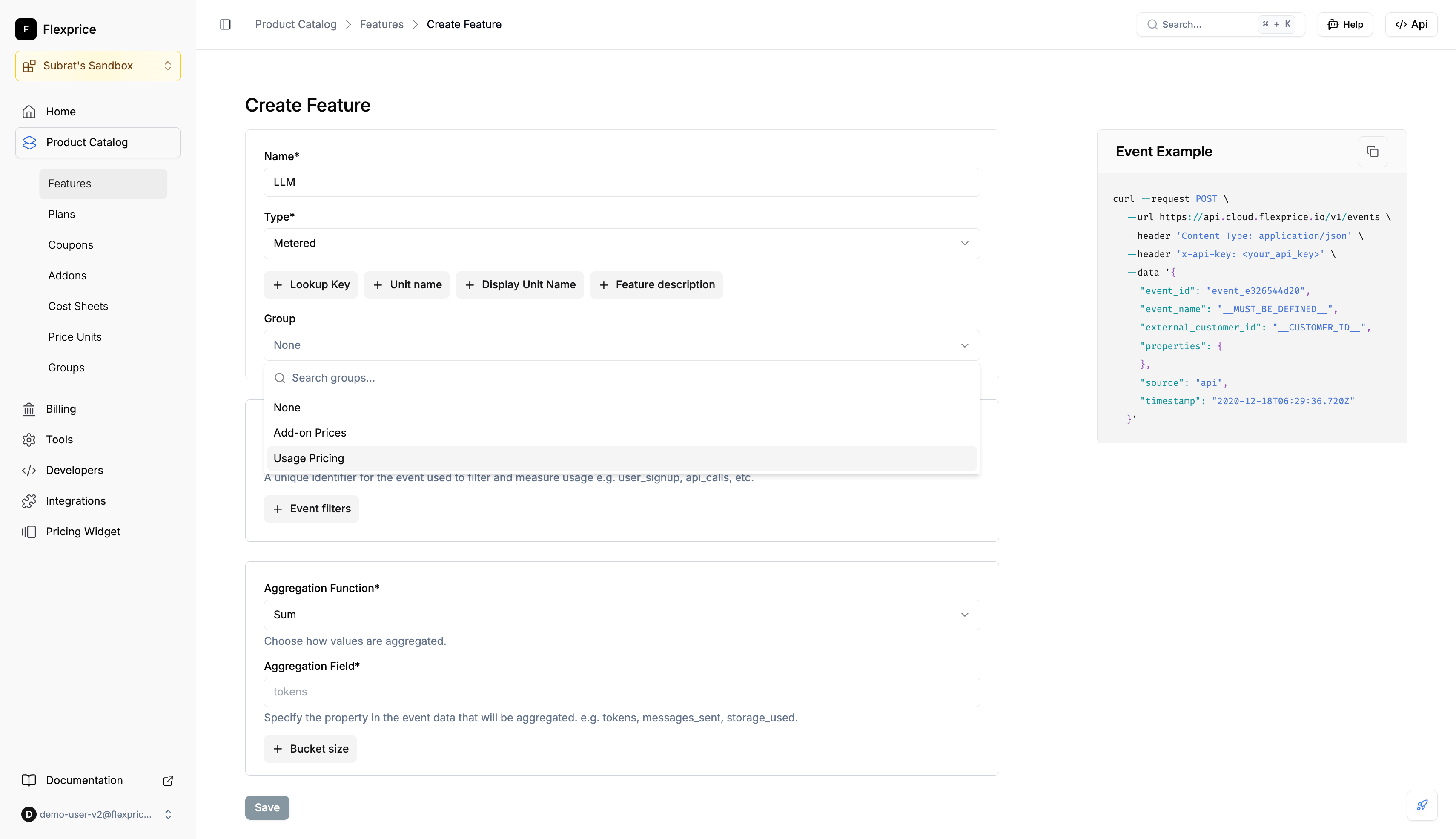
* Go to **Product Catalog** → **Features** → **Create Feature**
* In the **Group** field, search or select a group (e.g. "Usage Pricing")
* Save; the feature is stored with that group
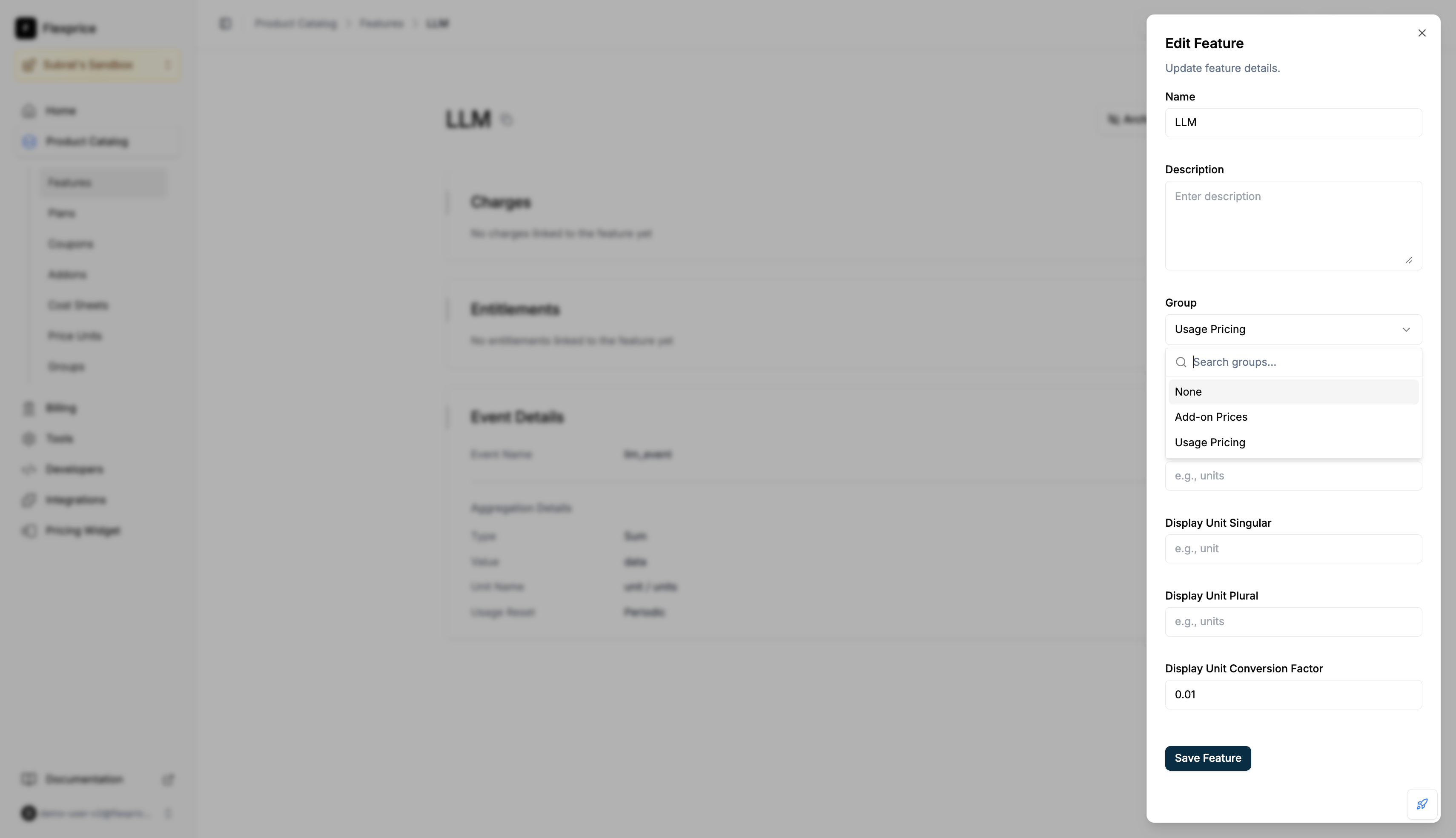
 * Open the feature → **Edit**
* In **Group**, set the desired group or **None** to ungroup
* Save
* Open the feature → **Edit**
* In **Group**, set the desired group or **None** to ungroup
* Save
 ## API (features)
| Action | Method | Endpoint |
| ----------- | ------ | --------------------- |
| Create | POST | `/v1/features` |
| Update | PUT | `/v1/features/:id` |
| Get feature | GET | `/v1/features/:id` |
| Search | POST | `/v1/features/search` |
**Create:** Optional `group_id`. Group must exist and have `entity_type: "feature"`. Response includes `group_id` and `group`.
**Update:** Send `group_id: "group_..."` to assign, `group_id: ""` to ungroup. Omit to leave unchanged.
**Get:** Response includes `group_id` and `group` when the feature is in a group.
**Search:** Each item has `group_id` and `group` when set. Filter by group: `field: "group_id", operator: "eq", value: { "string": "" }` (or `operator: "in"` with array).
### Where reflected
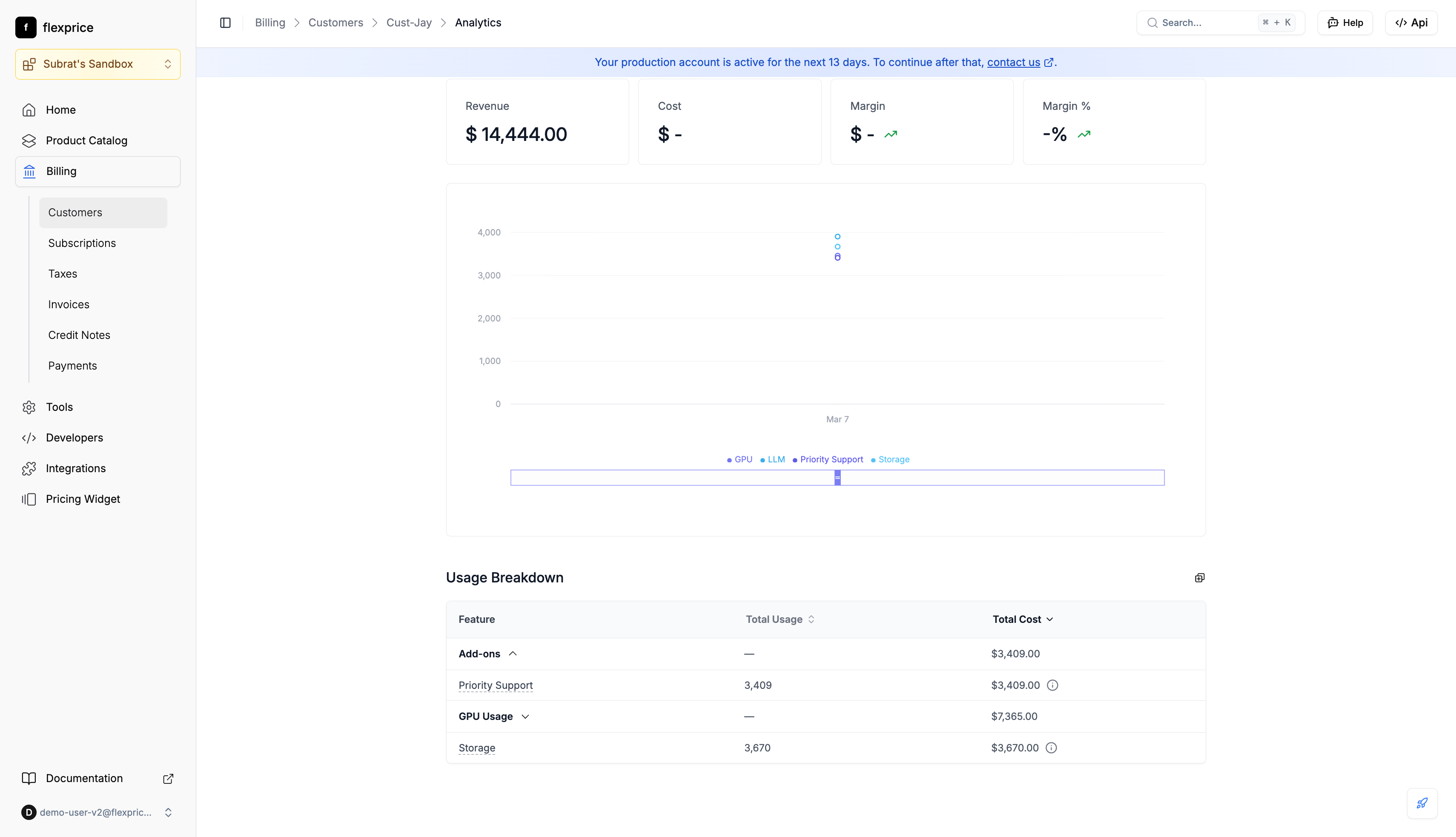
**Usage Breakdown** in the analytics dashboard and [Customer Portal](/docs/customers/customer-portal#usage-tab) **Usage** tab shows usage and cost by group.
## API (features)
| Action | Method | Endpoint |
| ----------- | ------ | --------------------- |
| Create | POST | `/v1/features` |
| Update | PUT | `/v1/features/:id` |
| Get feature | GET | `/v1/features/:id` |
| Search | POST | `/v1/features/search` |
**Create:** Optional `group_id`. Group must exist and have `entity_type: "feature"`. Response includes `group_id` and `group`.
**Update:** Send `group_id: "group_..."` to assign, `group_id: ""` to ungroup. Omit to leave unchanged.
**Get:** Response includes `group_id` and `group` when the feature is in a group.
**Search:** Each item has `group_id` and `group` when set. Filter by group: `field: "group_id", operator: "eq", value: { "string": "" }` (or `operator: "in"` with array).
### Where reflected
**Usage Breakdown** in the analytics dashboard and [Customer Portal](/docs/customers/customer-portal#usage-tab) **Usage** tab shows usage and cost by group.