> ## Documentation Index
> Fetch the complete documentation index at: https://flexprice-mintlify-e7733680.mintlify.site/llms.txt
> Use this file to discover all available pages before exploring further.
# Commitment
> Commitment-based pricing is a flexible billing model that enables customers to commit to a minimum spend amount for each billing period. This pricing strategy provides predictable revenue for businesses while offering customers the flexibility to pay for actual usage beyond their commitment at a premium rate.
### How Commitment Works
When a commitment amount is configured for a subscription:
1. **Commitment Amount**: The minimum amount a customer commits to paying per billing period (e.g., \$1,000/month). This guarantees minimum revenue for the business.
2. **Overage Factor**: A multiplier applied to usage costs that exceed the commitment amount (e.g., 1.5x). When a customer's usage surpasses their commitment, the excess usage is charged at this higher rate.
3. **Usage Calculation**:
* If total usage cost ≤ commitment amount: All usage is charged at standard rates
* If total usage cost > commitment amount: The commitment amount is charged at standard rates, and the excess (overage) is charged at the overage factor rate
## Steps to Add Commitments to a Subscription
1. Click the **Add Subscription** button
2. Scroll down to the **Commitment & Overage** section
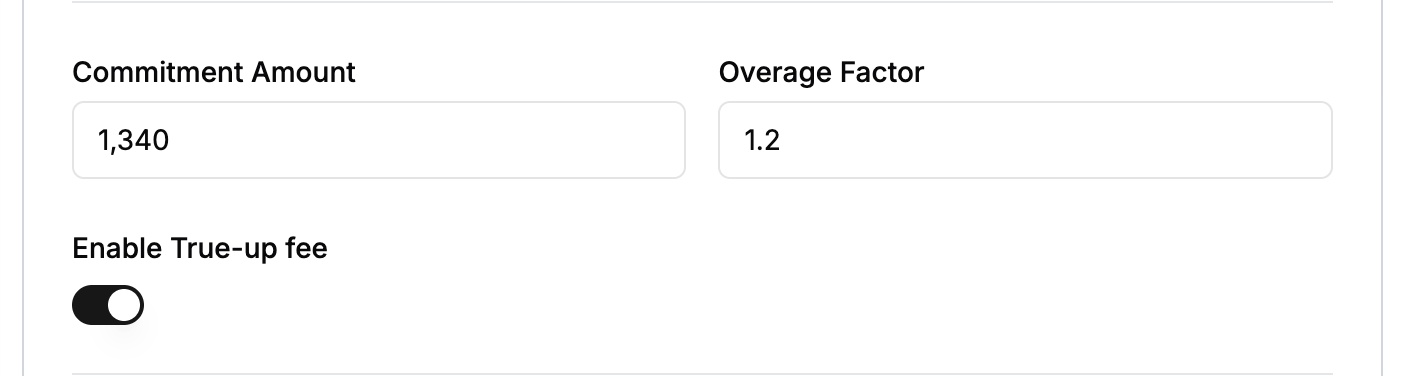
3. Define the commitment amount and overage factor
 ## Understanding True-Up
True-up is a billing mechanism that ensures customers pay their full commitment amount even if their actual usage falls short. When enabled, if a customer's usage doesn't meet the minimum commitment amount, they are charged the difference as a "shortfall" or "true-up" fee.
### How True-Up Works
1. **During Billing Period**: The system tracks all usage and calculates the total usage cost
2. **At Invoice Generation**:
* If usage cost \< commitment amount AND true-up is enabled: A true-up line item is added to charge the remaining commitment amount
* If usage cost ≥ commitment amount: No true-up is needed (standard commitment and overage logic applies)
## Steps to Add True-Up
You can enable true-up for a subscription during the subscription creation process:
1. Click the **Add Subscription** button
2. Scroll down to the **Commitment & Overage** section
3. Define the commitment amount and overage factor
4. Enable true-up using the toggle switch
## Understanding True-Up
True-up is a billing mechanism that ensures customers pay their full commitment amount even if their actual usage falls short. When enabled, if a customer's usage doesn't meet the minimum commitment amount, they are charged the difference as a "shortfall" or "true-up" fee.
### How True-Up Works
1. **During Billing Period**: The system tracks all usage and calculates the total usage cost
2. **At Invoice Generation**:
* If usage cost \< commitment amount AND true-up is enabled: A true-up line item is added to charge the remaining commitment amount
* If usage cost ≥ commitment amount: No true-up is needed (standard commitment and overage logic applies)
## Steps to Add True-Up
You can enable true-up for a subscription during the subscription creation process:
1. Click the **Add Subscription** button
2. Scroll down to the **Commitment & Overage** section
3. Define the commitment amount and overage factor
4. Enable true-up using the toggle switch
 ***
***